
The Build Up · Session notes
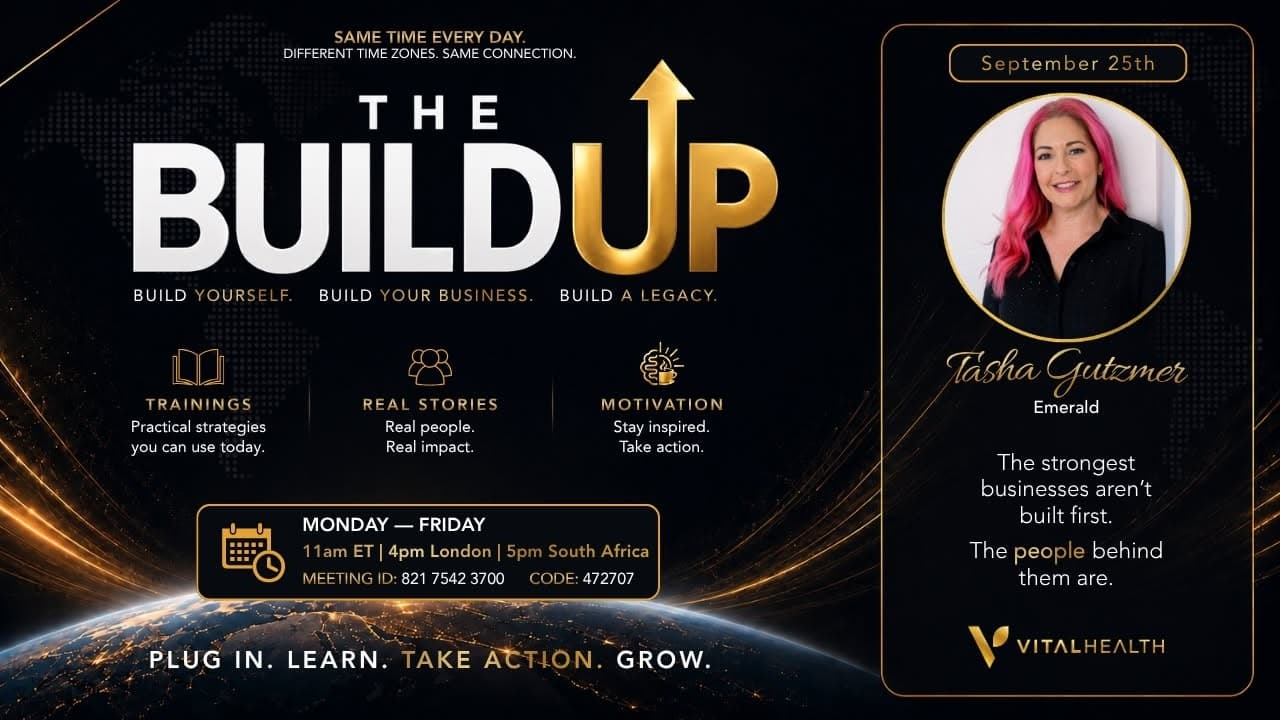
The Build Up with Tasha Gutzmer - Sep 25th
The essential idea
Quick Take
Tasha Gutzmer's training introduces V Pulso, a comprehensive marketing and CRM platform designed specifically for Vital Health affiliates. She highlights its all-in-one capabilities including lead generation, email campaigns, automation, appointment scheduling, event management, and AI-powered content creation. The platform consolidates multiple business tools into one affordable system priced at $14.99 per month, significantly reducing the need for multiple paid apps. Tasha demonstrates how to use pre-built funnels for lead capture and follow-up, emphasizing their ease of use and customization options. She encourages users to start by setting up their account, creating a link in bio, and building a funnel to simplify their business operations. The training also covers the referral program for V Pulso and reassures users about available support and training resources. Throughout the session, Tasha stresses the importance of embracing the platform to streamline business processes and improve efficiency. She offers practical advice for overcoming tech challenges and invites participants to reach out for personalized help. The training balances technical detail with motivational encouragement, making it accessible for users at various tech comfort levels.
Best For
Vital Health affiliates and wellness business owners seeking to streamline their marketing, lead management, and customer engagement through an integrated CRM and automation platform.
Key Topics
- V Pulso platform overview
- Lead generation tools
- Pre-built marketing funnels
- Email campaigns and automation
- Appointment and event scheduling
- AI content creation features
- Referral program for V Pulso
- Training and support resources
Action Steps
- Set up your V Pulso account immediately
- Create a link in bio to start building your online presence
- Choose and customize a pre-built funnel for lead capture
- Explore email campaign and automation features
- Use appointment and event scheduling tools to organize your business
- Refer friends to V Pulso to earn credits
- Watch Vital University trainings for deeper learning on V Pulso features
Prospecting Angles
- Highlight the all-in-one nature of V Pulso to reduce multiple app expenses
- Showcase the ease of use with pre-built funnels and automation
- Emphasize the affordable pricing compared to other CRM and marketing tools
- Promote the referral program as a way to offset costs
- Point out the AI tools for creative content generation
- Stress the platform’s integration with Vital Health products and services
Training Use
Use this training as an introductory guide to V Pulso for new and existing Vital Health affiliates. It serves as a practical walkthrough of key features and benefits, encouraging adoption and active use of the platform to enhance business operations and marketing effectiveness.
Teaching Lines
- V Pulso is our in-house built marketing system, platform, CRM, all the things combined.
- If you aren’t using V Pulso, you’re missing a huge part of how we can make our business simpler.
- The scripts feature helps you respond professionally to difficult questions with rebuttals.
- You can create personal AI songs for yourself, your team, or prospects within V Pulso.
- Events in V Pulso allow you to create webinars with automated registration and reminders.
- The upgraded version of V Pulso is only $14.99 a month for Vital Health affiliates, a complete no-brainer.
- Pre-built funnels are beautiful and easy to use, and they automatically add leads to your system.
- You can use V Pulso for multiple businesses, managing separate pipelines and email lists all in one place.
Moments to revisit
Timestamped Highlights
Tasha introduces the training and the importance of the V Pulso platform for Vital Health affiliates.
Tasha explains V Pulso as an all-in-one marketing system, CRM, and platform accessible via the back office and app.
Tasha shows how to select and preview pre-built funnels, emphasizing their ease of use and lead capture functionality.
Tasha walks through the detox quiz funnel, demonstrating how it collects lead information and recommends products.
Tasha highlights the new affordable pricing of $14.99 per month for Vital Health affiliates and compares it to multiple app costs.
Tasha advises setting up your account, creating a link in bio, and building a funnel as first steps to using V Pulso effectively.
Tasha encourages users not to be scared of the platform and offers personal help for any questions or technical issues.
Read the raw transcript
0:00 Good morning. Good morning, everybody.
0:04 Howdy. Howdy from Texas. I guess that is
0:06 appropriate.
0:10 Good morning. Happy Friday, everybody.
0:13 Let us know. Well, we've got Renee here.
0:15 So, we're all the way up in Canada. I
0:17 know that much. Let us know where you're
0:19 dialing in from today. I will go ahead
0:22 and get us started while the people
0:25 while the people are coming in. All
0:27 right. So, as you know, and if you were
0:30 able to tune in last night to the
0:33 Einstein kids call with um Carla,
0:36 Cynthia, and Madison, that was a great
0:38 call. Um this is an amazing little deal
0:41 that we have going on until the October
0:43 1st, so until the end of month for our
0:46 month end, right? It's our Genius 60
0:49 Happy Box. It comes with a guide and
0:51 everything. So cute. If you missed the
0:53 call last night, we are going to be
0:55 putting it, excuse me, up onto our um
0:59 YouTube channel. We've been getting some
1:00 of those more and more. So, we're have a
1:03 Einstein kids playlist up on our YouTube
1:05 now. So, you can go over there and check
1:07 that out um and catch up on some of the
1:09 older ones, too. But, this is a great
1:12 great thing if you have one or more
1:14 kids. Um if you have more than one,
1:16 you're going to need more than one box
1:17 because they're not going to share that
1:18 thermos, folks. Okay. And then next we
1:22 have so this is pretty fun. So from
1:27 September 21st through October 1st
1:29 anyone who comes in on any of our
1:30 welcome packs right for the using the
1:32 code vital 0909
1:36 vital09 you can take a screenshot of
1:37 this. It'll be um in the chat as well.
1:41 They get a free membership when they
1:43 come in on their on their welcome pack.
1:45 Okay. So that's that's huge. So that
1:47 will be lasting through the end of the
1:49 month for close out as well. And this is
1:52 our schedule, right? So close out. When
1:53 we say close out, we mean October 1st
1:55 this month. So that is going to be that.
1:58 And we have extended hours for customer
1:59 service to help you as well. Now in
2:03 Africa, that is our big our big um thing
2:08 that happened this week, right? We
2:09 opened Africa on Monday. So you can join
2:12 in Africa for only $5 using the code
2:15 Africa. Pretty simple. Africa gets you
2:18 in for only $5. This is such a great
2:21 deal. I know. Um I love seeing the
2:23 Chad's Globe. Everyone's very excited
2:25 about what's going on over in Africa. Um
2:28 it's a really exciting time to to be at
2:31 Vital Health for sure with all the
2:32 global stuff that's going on. Um so
2:35 tomorrow, this is tonight. This is
2:37 Friday. Today's Friday. Had to remind
2:39 myself of that real fast. Today is
2:41 Friday. So in Atlanta, so getting up for
2:45 Vital Connect tomorrow, right? They
2:46 really we had a good time at Topgolf
2:49 last week at Chicago. So they're going
2:51 to do it again in um Atlanta. So if you
2:53 are in the Atlanta area and you want to
2:55 stop by and just hang out with some
2:57 folks. They're going to be doing this.
2:59 It's really fun. And let me tell you
3:01 something, do not let Keith Williams
3:04 hustle you. Mm- He told me for weeks how
3:07 bad he was at Topgolf.
3:10 He's a liar. He's very good. He's very
3:12 good. He is good at Top Golf. Don't let
3:15 him lie to you. He is a hustler at
3:17 heart, okay? It's in his nature to try
3:20 and win, okay? He always wants to
3:22 compete. This was a really fun and it's
3:24 just a good time to get around and like
3:26 hang out with people without I mean, you
3:28 can talk about work in the business and
3:29 stuff like that, but it's a less
3:31 structured environment, so it feels a
3:32 little bit more relaxed and easygoing.
3:36 And then on Saturday morning, our vital
3:38 legacy is Alex himself, Elfe. I just put
3:42 a crown on my head. Elfe. Um he's going
3:45 to be bringing in some stuff. We've got
3:47 um translation as well. You know,
3:49 anytime Alex is on a call, it's going to
3:51 be fun and it's going to be informative.
3:53 So, it's going to be a good time. So,
3:55 make sure you tune in for that. There is
3:58 a new number and code for this call
4:01 since we had those lovely people hack
4:04 our um our call earlier this week. So,
4:07 make sure that you pay attention and
4:08 don't click the old one and you use the
4:10 ones that we're sharing because this is
4:12 an updated number. All right. And that
4:14 leads us to the actual um Vital Connect
4:17 to tomorrow. Yes, tomorrow. Oh my
4:19 goodness. Yes, tomorrow. Um and again,
4:21 not Stephanie. I'm doing this like you
4:23 guys can see my hand when I'm covering
4:25 Stephanie and imagining Phil Birfield.
4:27 Um I'm going to share the actual um
4:29 flyer in the chats and on Facebook um in
4:32 a little bit. But dude, they have such a
4:36 great team and this whole week they have
4:39 had calls every single night, even after
4:42 our regular calls and they're getting
4:44 like 40, 50 people on these calls all
4:47 gathered together like I don't know,
4:49 man. Something's about to happen in
4:51 Georgia and you can tell that there's a
4:53 lot like of really good energy. People
4:55 are very excited. Ethan's got his team
4:57 like really pumped up. Keith's leading
4:59 them really strong, you know. Um they
5:02 just got a really good team out there
5:03 and I don't know I feel like J Sherrod
5:05 like I don't know I have a good feeling
5:07 something's on the precipice for that
5:09 guy. Um so in October which is by the
5:14 way next week. October is next week. All
5:16 right. Next week is October.
5:19 We are going to Orlando for Vital Fest.
5:22 This is a huge big deal. It's going to
5:25 be amazing. Our new Vital Sense is going
5:28 to be available. We're going to have
5:29 great promos. There's going to be good
5:31 takeaways. There's going to be um new
5:33 tools and all kinds of fun stuff. So,
5:35 make sure you're there. The tickets are
5:37 available in your back office. There's
5:38 also going to be translation. So, if you
5:40 need Spanish, you can go ahead and get
5:42 that and that's available there for for
5:44 you as well. So, um without further ado,
5:49 this is her first time doing the buildup
5:52 and I'm very excited. I absolutely adore
5:55 Tasha. I have not yet to meet her in
5:56 person and that seems stupid because I
5:59 just I literally talk to her almost
6:01 every day. Um, she's just this magnetic
6:04 person and she does so much on our
6:06 backside that you guys don't like on the
6:08 back end that you guys probably don't
6:09 ever see cuz she's so techsavvy and she
6:12 loves using all of our tools and she
6:14 really helps us with giving feedback and
6:16 stuff to make everything grow and become
6:19 better. Um, and she's really put so much
6:22 into these tools. I don't even think you
6:24 realize how much she has done to grow
6:26 your business just by giving feedback to
6:28 help us make things correct. Um, and
6:32 she's always working hard and doing
6:33 that. Always want to make sure to give
6:35 you so much credit for that because you
6:38 are amazing and honestly you do so so
6:41 much that people don't even realize
6:43 you're helping teams across the globe
6:46 with what you do. Um, but she is she's
6:49 amazing. She's a pink party princess and
6:52 she's gonna teach us on this Happy
6:54 Friday. Take it away, Tasha.
6:56 >> Thank you so much. That was so sweet.
6:59 That means just the world to me. I love
7:01 your kind words. Thank you so much. Um,
7:04 quick ask really fast since like she
7:06 said, this is my first
7:09 buildup call really my first like
7:11 corporate call at all. Would you guys I
7:14 want to do a quick selfie. Can you guys
7:16 just like put up a wave hand because I
7:18 want to take a quick selfie to like
7:20 document this with all you guys in the
7:23 background here with me.
7:28 Thank you so much. That was perfect.
7:30 Thank you. Um so excited to be here. I
7:33 actually like I think I used to like I
7:37 would have been nervous before if
7:39 somebody asked me to do this and this
7:40 I'm actually like really excited about
7:43 um because it's something that I'm super
7:46 passionate about and like she said our
7:48 tools I joke with the Vulso team are I'm
7:53 in direct contact with the developers
7:56 when I say every day all day I mean like
7:59 if any of them are on well actually
8:01 Adriel's in that chat she knows
8:03 I can't believe they haven't blocked me
8:05 yet. And I keep saying that, but like I
8:08 literally it's non-stop all day long.
8:11 So, huge shout out to our V Pulso team,
8:14 too. Like, not just what they've built
8:17 for us, which you guys, I I can't wait
8:19 to dive into this more with you because
8:21 I feel like what they built specifically
8:23 for us, like it's I've never had access
8:27 to something like this before. Um, but
8:29 they are so
8:32 welcoming of all of our feedback and
8:34 suggestions and the trial and error and
8:37 oh, this isn't working and
8:39 [clears throat] and perfecting this
8:40 system to make sure that everything's as
8:44 running as beautiful as can be. Well,
8:46 it's now that I'm saying that, it's kind
8:48 of like our product line, like helping
8:50 us run as perfect as we can, right? With
8:53 getting our bodies in order. But um the
8:57 whole team has just been absolutely
8:58 incredible. Um I love working with them
9:02 and they really do like welcome all of
9:04 our feedback. Um so first thing and I do
9:08 want to make this a little bit
9:10 interactive here if that's okay. Um
9:14 Renee was fixing her hair for the
9:16 selfie. I love that. Um can you put in
9:19 the chat first of all who uses Vulo?
9:22 Like I just want to know kind of get an
9:24 idea of do you use it or you don't even
9:28 know what it is? Like kind of like where
9:31 everybody's at. Um it looks like most
9:35 people
9:37 are okay. Some do, some don't, but most
9:39 are using it. So I love to hear that. Um
9:43 still learning and literally they are
9:46 making updates every single day. So, it
9:50 just keeps getting better and better and
9:52 better. Um, Laura says, "I'm not
9:55 techsavvy. I'm having a hard time
9:57 figuring out how to make a booking
9:58 appointment for scans. Is there a
10:00 training?" Okay. Yeah, we'll talk about
10:02 that kind of stuff. There are some
10:04 trainings, but um, let's just kind of
10:07 get right into it. I am going to share
10:09 my screen. Um, I made a couple quick
10:13 graphics and I will try to put these in
10:14 the chat as well so you just have access
10:17 to these um to either share with your
10:21 teams or just have um for your own
10:27 just for your own. So can you see this
10:29 screen? This is just a graphic of really
10:32 what Vulso is. So, V Pulso is our
10:37 in-house built marketing system,
10:40 platform, CRM, all the things combined.
10:44 It's in our back office. It's also in
10:47 our Vital Health Global app, so you can
10:49 access it all from the one place. Um,
10:52 and it literally has everything that you
10:55 need start to finish on running your
10:59 business. And if you guys aren't using
11:01 this, I do truly feel like you're
11:03 missing a huge part of how we can make
11:08 our business simpler, keep track of
11:11 things. Um, we can send emails, all the
11:14 things. So, I'll go through a little bit
11:15 of this, but you can also screenshot
11:17 this or I will put it in the chat. Um,
11:20 but for lead generation,
11:22 we can basically if do you guys use
11:25 boards? Does anybody use boards? Um, we
11:28 have that built in here. We can do
11:30 forms, polls, surveys, we can build
11:33 funnels, and they're I'm going to show
11:34 you guys some of the pre-built funnels.
11:36 They're beautiful. Like absolutely
11:39 gorgeous. I was doing a call with
11:40 somebody the other day walking them
11:42 through this, and they were like blown
11:44 away at the funnels that we have access
11:47 to. Um, link in bio. So, that can also
11:50 be like if you use boards pages, same
11:54 thing as link in bio. So, it doesn't
11:56 necessarily have to be a link in bio,
11:58 but you can make it look like, you know,
12:01 anything that has information. It can
12:04 kind of be like a landing page. Um, so
12:07 we have all that. And then for followup,
12:09 there's leads and pipeline, email
12:12 campaigns, automation. We have a new
12:14 to-do list. The scripts, you guys, these
12:17 are huge. So, what's really cool about
12:19 the scripts is not just that there's
12:22 scripts there. if you kind of get stuck
12:23 on what to say or how to respond or how
12:26 do I reach out to this person, it gives
12:29 tons of great information on that. But
12:31 what I love the most is in there there's
12:34 a rebuttal section. So, if somebody
12:36 comes at you with like maybe like a
12:40 negative typed comment or or a question
12:42 that it sounds a little, you know, a
12:44 little shady, you can actually type
12:47 their question in there and it's going
12:49 to give you the rebuttal answer in in
12:52 like a professional way. Like you can
12:54 choose, you know, your tone. Um, but it
12:56 really helps to answer like those
12:58 difficult questions. Um, and then asset
13:02 creation. Like I think a lot of people
13:04 thought that V Pulsa was just AI and it
13:06 is the AI is like a tiny portion of it.
13:09 Um but we do have an amazing AI section
13:12 in here where you can create your um
13:15 pictures, you can do videos, you can do
13:17 those really fun songs, you guys. You
13:20 can create a personal AI song for
13:23 yourself, for your team, for you know
13:25 prospects, whatever you want that to
13:27 look like. Um there's a content calendar
13:31 with automatic um posting on different
13:34 platforms.
13:35 And then on the business side and this
13:37 this part's just getting better and
13:39 better. So we have now appointments
13:42 where basically that would be like your
13:44 Calendarly. Okay. So like if you use
13:46 Calendarly, you could use appointments
13:48 in Vulso. We've perfected this and and a
13:52 lot of it is trial and error. As soon as
13:54 they do something, I go set it up and
13:56 I'm like, "Nope, I need it to run like
13:58 this, this, and this, and they do it
14:00 like same day. It's just like it's
14:02 beautiful." Um, so that can be your your
14:05 calendar appointments. And then events,
14:07 which is brand new, and I'm beyond
14:09 excited about this. So events is going
14:12 to be where you can create
14:16 a webinar or any type of event, but the
14:19 example that I'm going to use is like a
14:21 webinar. So say for example we have the
14:23 discover vital calls coming up right you
14:26 can actually create the call in your v
14:30 pulso. So it says you know discover
14:33 vital here's the date here's the time
14:35 you insert the the link the the zoom
14:38 link for that call and then you can
14:41 share that link to somebody they are now
14:45 going to sign up to get the call
14:47 information. It's going to email them a
14:49 confirmation. It's going to email them a
14:51 reminder 24 hours, 1 hour before, and
14:55 then at the time the call is live. So,
14:58 they're going to get those constant
14:59 reminders. So, it's basically call
15:01 registration. Okay. And then the but the
15:04 best part is as soon as they do that,
15:06 they're in your V pulso for leads.
15:09 They're in there as a lead. So, you can
15:11 see, okay, so and so registered for
15:14 vital or discover vital. now I know to
15:18 go follow up with them like after the
15:20 call or whatever that looks like for
15:22 you, but I'm very excited to have that.
15:24 Um because you could use that for any
15:25 any calls that you want. Um projects, I
15:29 believe that part's like coming soon. I
15:31 don't remember if there's anything there
15:32 yet, but then we have QR code
15:34 generators. We have like the spin the
15:37 wheels and all those kind of fun things.
15:40 And then um uh resources. So, there are
15:45 some trainings in the Pulso. They're
15:48 also in your vital health back office
15:51 under Vital University. Um, but there
15:53 are three recent trainings and then
15:55 there's some older ones, but I would
15:57 probably just go straight to the recent
15:59 ones. Um, Ali did these and they are
16:02 going over the Vulso back office, how to
16:06 create a link and bio, and then how to
16:08 create a funnel. Those are kind of like
16:10 the three most basic steps with getting
16:13 started with V Pulso. So, go watch those
16:16 trainings. He's going to be doing some
16:18 more coming out in a week or two,
16:19 probably on the other features. Um, so
16:22 stay tuned for that. And then a bonus
16:25 here, uh, refer a friend. So, you can
16:28 actually refer a friend to V Pulso,
16:31 whether they're in Vital Health or not.
16:34 anybody outside of Vital Health can
16:37 still use V Pulso. So, this is not just
16:40 for us. Like, it was built for us, but
16:43 then we can share it with outside
16:44 businesses um or people in other
16:47 businesses. And there's even a entire
16:50 list, I don't know the number off the
16:52 top of my head, I'm going to say a
16:54 hundred. that might be totally off. Um,
16:56 but of of businesses like other network
16:59 marketing companies that are inside
17:03 Vulso that already have pre-built
17:06 funnels. So, look through that list. If
17:08 you know people in those businesses,
17:11 this is like an easy thing to share with
17:13 them. Um, and for every four referrals
17:16 you get, you get a $15 credit in your V
17:20 Pulso account um, to go towards your
17:23 upgraded Vulso. Um, so, and this is all
17:27 of the features, which I don't know if
17:29 you guys realize that they brought the
17:31 price down. It's only $14.99 a month now
17:34 for Vital Health affiliates. So, in this
17:39 is absolutely insane. complete
17:40 no-brainer on like should I upgrade or
17:43 not? Um so yeah, the answer is yes. And
17:46 then um I am going to stop sharing
17:50 really quick and then I do have a couple
17:52 other um things to show you, but if is
17:56 there any questions right now? I don't
18:00 think so. Um we'll look through the
18:02 questions for sure. Um but I do also
18:05 want to show you
18:08 um and again I will put these in the
18:10 chat but
18:12 so okay next question. So again this is
18:15 interactive. I want you to put in the
18:17 chat how many apps you currently use to
18:21 run your business.
18:23 That can be Canva, Linkree, Kalen Lee um
18:29 anything like um uh what's that one big
18:32 email? There's a big email one people
18:34 use um chatgpt zappier type form like
18:39 all these there's you know so many
18:41 different apps that people could be
18:42 using. Um so three five two
18:49 four loss count. Yep. Five. Yeah.
18:52 There's a lot of apps normally that we
18:54 use to run our businesses, right? So,
18:58 you probably have no idea the answer to
19:01 this because those things just like add
19:03 up and they automatically come out of
19:05 your bank and you don't even realize.
19:07 But next, I want you to drop, do you
19:09 have any idea how much you're paying in
19:12 total for all your apps to run your
19:15 business? Like, think of all the apps
19:18 that you pay for. Those little ones add
19:19 up, right? $5.99 for this, $8.99 for
19:22 that. Um,
19:24 okay. $50, $40, $20,
19:29 $79. I mean, that they it definitely
19:32 adds up. So, I want to show this little
19:36 um comparison. Um $65, $100. Yeah. So,
19:40 you guys can see like these these apps
19:42 definitely add up. So,
19:47 here is just an idea of some of the apps
19:50 that that people use to run their
19:52 business. Um, Chat GPT, $20 a month.
19:57 Calendarly, actually, I think it's $12 a
19:59 month. That Chat GPT um created this, so
20:02 if the numbers are off, it's not my
20:03 fault. Um, Calendarly, I really think
20:06 that's 12. Um, some people pay for
20:08 Linkree. Trello, that's like a board's
20:11 project manager. Um, Mailchimp for email
20:13 marketing. Zapier, which is a great
20:16 great tool, but that can cost money. Um,
20:19 Type Form, I don't know. I think you can
20:21 use that for free. But Canva, um I pay
20:25 yearly for Canva, so I don't even know
20:26 what the monthly is. Um CRM and funnel
20:29 builders, like that's going to be the
20:31 big expense. Those are easily $99 a
20:34 month. Um and then some people use like
20:36 a social media scheduler. So just this
20:39 example, this totals up to, you know,
20:41 $259.
20:43 I don't think everybody's using all of
20:45 these, but it's an idea of everything
20:48 that we have in Vulso that people I
20:52 think it's very common to use quite a
20:54 bit of these. Um, so you can kind of see
20:57 where we're going with this, right? Um,
21:00 so, you know, the upgraded version of
21:05 of um, Vulso is literally $14.99. So,
21:09 I'm going to share this one with you as
21:10 well. So, you can screenshot this, share
21:12 it with your with your teams and your
21:17 people that you want to share Vulso
21:19 with, cuz this is I mean, again, it's
21:22 just it's a no-brainer. Um, so this is
21:25 just a comparison. We do have a free
21:28 version of V Pulso with some some
21:31 capabilities. You can still start free.
21:33 Like, if you want to start free, see how
21:35 it goes, do it. Um, I think everybody
21:39 should just upgrade because it's
21:40 literally a no-brainer with especially
21:42 when you see like the funnels and the
21:44 email automations and things like that.
21:46 Um, $14.99 a month and all you do and
21:50 I'll show you where to upgrade that cuz
21:51 I saw somebody asking. And then for
21:54 people outside of Vital Health, it's
21:56 $19.99 a month. That's full access to
22:00 everything. There's no like tiers or
22:01 anything like that. It's either free or
22:03 it's pro. So, super simple. Um, so let
22:07 me drop those in the chat here so you
22:10 guys have those. And then um Oh, good.
22:14 It is letting me add them. Okay, I'm
22:16 going to put all three of those that I
22:17 shared. And then I do want to show you
22:21 um a funnel because I think they are so
22:24 beautiful. These are pre-built funnels.
22:27 You can also build funnels from scratch
22:30 and then you can also build funnels wi
22:32 with um their AI. So,
22:36 um I'm going to open up my V Pulso
22:41 and let's see here
22:46 dashboard. I'm going to go to funnels
22:49 and then I'm going to share my screen.
22:51 Okay.
22:55 All right. Here we are. So, this is what
22:58 the um funnel dashboard looks like. And
23:00 by the way, for those asking where to
23:02 upgrade, if you just go down to the very
23:06 bottom left of your screen where you see
23:08 your name, you'll click that and then it
23:12 will come up with um
23:16 uh right here. So, you can change your
23:19 plan right there to upgrade from the
23:21 free version to the pro version. So, I
23:24 want to show you guys. I mean, these
23:26 funnels are literally beautiful. Um,
23:28 these are the ones that I have built
23:31 right now. And if you want to see what
23:33 all is available, you just go to create
23:36 a funnel.
23:37 And here you can choose from the
23:39 pre-built built funnels, start from
23:41 scratch or build with AI. If you click
23:44 on pre-built, this is where you can
23:45 choose your company. And then um
23:48 actually here I'll show you this list
23:50 really quick of
23:53 all the companies that have pre-built
23:56 funnels. Look at all these. So many. So
23:59 there's not a hundred. I don't know,
24:01 maybe 20. Um, but you'll choose your
24:05 company, hit next, and then you can see
24:08 all the pre-built funnels that are
24:11 already available for you to use. Um, so
24:15 you can scroll through these, and again,
24:16 you guys, they're beautiful. They're
24:18 really like what I I love using the ones
24:21 that are like quizzes, right? So I'll
24:23 show you some of those. Um, but you can
24:25 go through and then you'll pick the
24:27 funnel that you want to use. And if you
24:29 want to see what it looks like before
24:31 you use it, then let's do um here, let's
24:36 do this daily ritual. You'll click that
24:38 little eyeball.
24:40 It will then open up
24:43 what the funnel looks like. So, you can
24:44 kind of see what it looks like before
24:47 you you choose to create it. And then
24:50 once somebody enters their name and
24:52 email here to get their whatever the
24:54 information is on the funnel, that
24:56 person then automatically gets added to
24:59 your leads list which is also in B
25:02 pulso. So I want to show you one that um
25:06 let's do the detox quiz. So this is my
25:09 detox quiz.
25:12 Um you guys can see that right? I can't
25:15 see the chat. Can you see the detox
25:17 quiz? I want to make sure I open the
25:18 right page.
25:21 Um,
25:23 >> yeah,
25:24 >> hopefully you can see. Okay, thank you.
25:25 Um, okay. So, this is the detox quiz
25:28 funnel. And then what you're going to
25:30 do, so this is what somebody's going to
25:31 see. I mean, look how beautiful this is,
25:34 right? Like it's it's just gorgeous. And
25:36 when you create the funnel, you're going
25:38 to put in your shop link. So then
25:40 anytime they they click on something,
25:42 it's going to go to your shopping page.
25:45 And then they're going to say, "Find my
25:46 reset." They are going to go through all
25:50 the questions. I'm just going to quickly
25:51 kind of click some so you can see what
25:53 this is like. They're going to put in
25:56 their name and email, reveal their
25:58 match. It's automatically here. I'm just
26:00 going to enter me in here so you can
26:03 see. And it's going to tell me what
26:06 products I should be taking based on the
26:08 questions that I just answered. Um, now
26:12 they also then are going to go right
26:14 into your leads list. So, if you go to
26:18 your leads,
26:20 um,
26:25 you know what? I'm already in here, so
26:26 that was a bad example, but it would
26:28 then show up in your new leads. Um, so
26:32 the the funnels are beautiful, you guys.
26:35 And then you can set up the email
26:37 campaigns here. You can do automations,
26:40 which this is cool because then as soon
26:42 as somebody
26:43 um
26:45 as soon as somebody fills out your form,
26:48 you could have it automatically start
26:50 emailing them. You can do a whole
26:51 campaign where it emails them, you know,
26:54 say once a day, every other day, however
26:56 you want to set that up. Um, but there
26:59 is a coffee quiz, there's a detox quiz,
27:03 there's a hormone um like a PDF hormone
27:06 reset. Like I mean just so many so many
27:11 great tools in there um that Yeah, it so
27:15 Donnet used to be $79 a month and a few
27:18 weeks ago or so they they changed it so
27:22 it's $14.99. There's no commission
27:24 attached to it, but I'm totally fine
27:26 with that. like I would rather it be so
27:29 affordable for everybody to use. And I
27:31 love that they still have the referral
27:33 bonus um for you to um refer it to
27:36 people and still get a a credit. You
27:39 just don't get commissions. Um so yes, I
27:42 love that. Um and no, you don't have to
27:45 create any of the questions, Norma. It's
27:47 pre-built. Now again, you can create
27:50 your own custom funnel if you want to
27:52 where it has all your own branding,
27:55 colors, verbiage, questions, all of
27:57 that. You can completely customize it,
28:00 but really do just use the pre-built
28:04 ones for now. It's it's so simple. Um,
28:07 Monica, can you add links to your
28:08 website? So right now when you create
28:11 your funnel and there is a training on
28:13 this in the back office um you'll enter
28:17 whichever link you want them to be
28:21 directed to if they click like anywhere
28:23 on your funnel you enter that link. So
28:26 that is part of the setup of the funnel.
28:28 Um right now there's just the one link.
28:31 Um but you can have it go to your shop
28:34 page. you can have it go like to just
28:36 the detox line if if it's the detox
28:39 quiz. Um things like that. And then Don,
28:42 yes, the credit is a credit for every
28:45 four referrals, you get a $15 credit to
28:48 your V Pulso account, which can then
28:50 cover your monthly Vulso fee. Um, I feel
28:55 like I thought I wasn't going to have
28:58 enough to talk about for 30 minutes and
29:00 we're already at 8:30. So, I could go on
29:03 and on and on about V Pulso, but I do
29:05 want to get to some questions, too. So,
29:07 let me um look through some of these
29:10 questions. If just drop a new question
29:13 if I didn't answer it already. Um, how
29:16 did you find the companies again? So
29:18 when you are creating a funnel, it will
29:22 ask you to choose which company you want
29:24 to create a funnel for. And right there
29:26 you can say add companies and that will
29:29 bring up the whole list of different
29:31 companies um that you that you can
29:34 choose from. And you can even say for
29:36 example you have okay I'm Monica I'm
29:39 using you as an example because I know
29:40 you um Monica does body sculpting
29:44 contouring like some body services right
29:47 she also is here with vital health she
29:50 can use vulso for vital health she can
29:53 also create separate pipelines separate
29:56 funnels separate email list for her
29:59 clients that she that she does services
30:01 for. So you can use this whole system
30:05 like for your whole business in multiple
30:07 businesses. Okay, which is really cool.
30:10 So you can create multiple different
30:12 pipelines, you know, multiple email
30:14 lists, things like that. Olly, I'm so
30:17 glad you're on here. Did I make you
30:18 proud? I told them yesterday that I was
30:20 doing this and I said, I really hope
30:22 that I make you proud. Um, so Olly says,
30:24 "Soon it'll automatically show Vital
30:26 Health as a company if you log in from
30:28 your back office." soon being today
30:31 because that's how he rolls. Thank you.
30:33 Thank you. Thank you.
30:34 >> You see Orcon? You got the big big Orcon
30:37 on here.
30:37 >> I got Oron, too. I told them I'm like, I
30:40 better make you guys proud. I really
30:41 hope I make you guys proud. Um, how did
30:45 you find the companies? We covered that.
30:48 I hope my graphics were good. $14.99 is
30:51 a freaking steal. Like, it's literally a
30:53 no-brainer. Um, let's see. I'm trying to
30:57 think. Oh, I don't even know if I
30:59 mentioned like proje pro chat GPT is in
31:02 there. It's called something else, but I
31:05 mean it's got everything. So, what other
31:07 questions do we have before we are done
31:09 for the day? Um, do I have to pay the
31:13 $15.99 for the funnel? So, you can get
31:15 limited funnels on the free version. Um,
31:19 the upgraded version gets you more
31:22 funnels. I don't remember how many. Um,
31:28 so Laura, um, I don't know, but a lot of
31:31 times when you're watching a video, if
31:32 you click the little like settings
31:34 wheel, you can change the speed of the
31:38 video, so check that. So, you can maybe
31:40 slow that down.
31:42 Megan transferred all her chat GPT stuff
31:45 into V Pulso and she's not looking back.
31:47 I love hearing that. As much as I love V
31:49 Pulso, I haven't even done that yet.
31:51 Like, I don't know if I can break up
31:52 with ChatGpt, but we'll see. Um,
31:57 when I try to log into V Pulso, I keep
31:59 receiving an error message. Definitely
32:01 reach out to um, Vulso support. If you
32:05 can even access it from there, but if
32:08 not, send me a message. I'm happy if
32:10 anybody wants to send me a message,
32:12 I'm open to that. Um, pre-built funnels
32:15 are included with all Vital Health
32:16 Active affiliates for free. The 1499
32:19 gets you the entire suite, including the
32:21 AI funnels. Perfect. Thank you.
32:25 Um,
32:28 all right. Can we preview the detox
32:30 quiz? Um,
32:34 yes. In your V Pulso, if you go to V
32:37 Pulso funnels, you can click on the
32:38 little eyeball to preview it or watch
32:40 this replay. Um,
32:44 I got a server IP address could not be
32:46 found.
32:49 I don't know why.
32:51 Um, yeah. Any other questions?
32:54 Otherwise, I think my time's up. So, I
32:56 love doing this. There's so much more we
32:57 could go over. Um, but get in Vulo, play
33:00 around with it. I think the best thing
33:02 to do is, especially if you're not
33:05 familiar with a CRM system like this. I
33:08 get it. It can be daunting, like, oh my
33:09 gosh, like where do I even start? So,
33:12 first of all, set up your account. I'm
33:15 going to type this out. Set up your
33:17 Vulzo account.
33:20 um replays are in the YouTube channel,
33:24 these replays, but then the the training
33:26 videos are in um Vulso and your back
33:30 office. So, set up your V Pulso account,
33:34 create a link in bio. These are like the
33:36 simplest things just to get started, and
33:38 then create a funnel. Those are where I
33:41 think you should just start. Just get in
33:43 there, play around with it. Um once you
33:45 have that set up, then maybe dive into
33:48 watching some of the trainings. Um, and
33:50 then honestly, like I might be opening a
33:53 can of worms here, but feel free to
33:55 reach out to me with any questions
33:57 because I'm happy to help. And some of
33:59 those errors you guys might be getting,
34:01 I I have no idea why, but we could we
34:03 could try to figure that out.
34:04 >> Um, can you do a V pulse? So, training,
34:07 funnels, automations, etc. I would love
34:10 that, but I think Olly has that covered.
34:12 We already have a training on funnels. I
34:14 think hopefully automations is coming
34:17 and those are already in our back
34:18 office.
34:20 Um,
34:23 yes. So, thank you guys so much for
34:25 having me. Um, I'm just super excited. I
34:27 think everybody should should just get
34:29 in there. They built this for us, so we
34:32 need to use it. Um, and you're you're
34:34 doing yourself a disservice. Um, Laura,
34:37 you could Facebook message me. Tasha
34:38 Gutsmer is my Facebook. Um,
34:43 >> absolutely killing it today, girl.
34:45 >> Thank you. I truly feel like you're
34:47 you're doing yourself a disservice by
34:49 not utilizing the tools that that were
34:52 handed to. Like they built us this
34:54 beautiful platform and handed it to us
34:57 and there's going to be no benefit if we
34:59 don't use it. So get in there and use it
35:01 and I think you'll be like, "Oh my gosh,
35:03 where has this been my whole life?"
35:05 >> So thank you for having me. And if you
35:07 wondering where to find those, they're
35:09 under Vital University in your back
35:11 office. So there's trainings on Vup
35:12 Pulsa there. Don't be scared. Don't be
35:15 scared. We'll do some more of these. I
35:18 told you Tasha, you were going to kill
35:20 it today. I was right. I like being
35:22 right. Um, you are amazing. Obviously,
35:25 this was very, very needed. Um, thank
35:28 you for coming on here and highlighting
35:30 really just kind of the basics because I
35:32 know how much more you have underneath
35:34 this to share. So, um, if you found this
35:38 helpful, let me open up the chat so that
35:42 you can tell her to her face.
35:46 >> Thank you,
35:49 >> Tasha. Great job.
35:52 >> Awesome job.
35:54 Thank you so much. You did a great job.
36:00 >> Enjoy. Thank you. See you next time.
36:03 >> Thank you.
36:05 You were amazing, Tasha. We will see you
36:07 guys tomorrow on Vital.
36:10 >> Really love that info.
36:11 >> Ele himself, Mr. Alex Reynoso. Um, have
36:14 a wonderful Friday. Get back in there.
36:17 The easiest way to learn how to use V
36:19 Pulso is to start playing.
36:20 >> You did amazing, Tasha. Love you so
36:22 much.
36:23 >> Good stuff. Amazing.
36:27 >> You got Eve to come off. Nice.
36:32 >> All right. We'll see y'all later. Have a
36:34 good day. Bye.
36:35 >> Y'all come back now. You here? Always.